How To Set Up a Monthly Budget Spreadsheet That You Will Actually Use

From Sort & Keep, the maker of the linked templates. Our current product prices update with your selected currency. Worked examples and third-party prices keep their stated currency and date.
If you want a budget spreadsheet that sticks, do less, not more. Start with income, fixed bills, and one simple view of variable spending. That is enough to see whether the month is calm, messy, or quietly expensive.
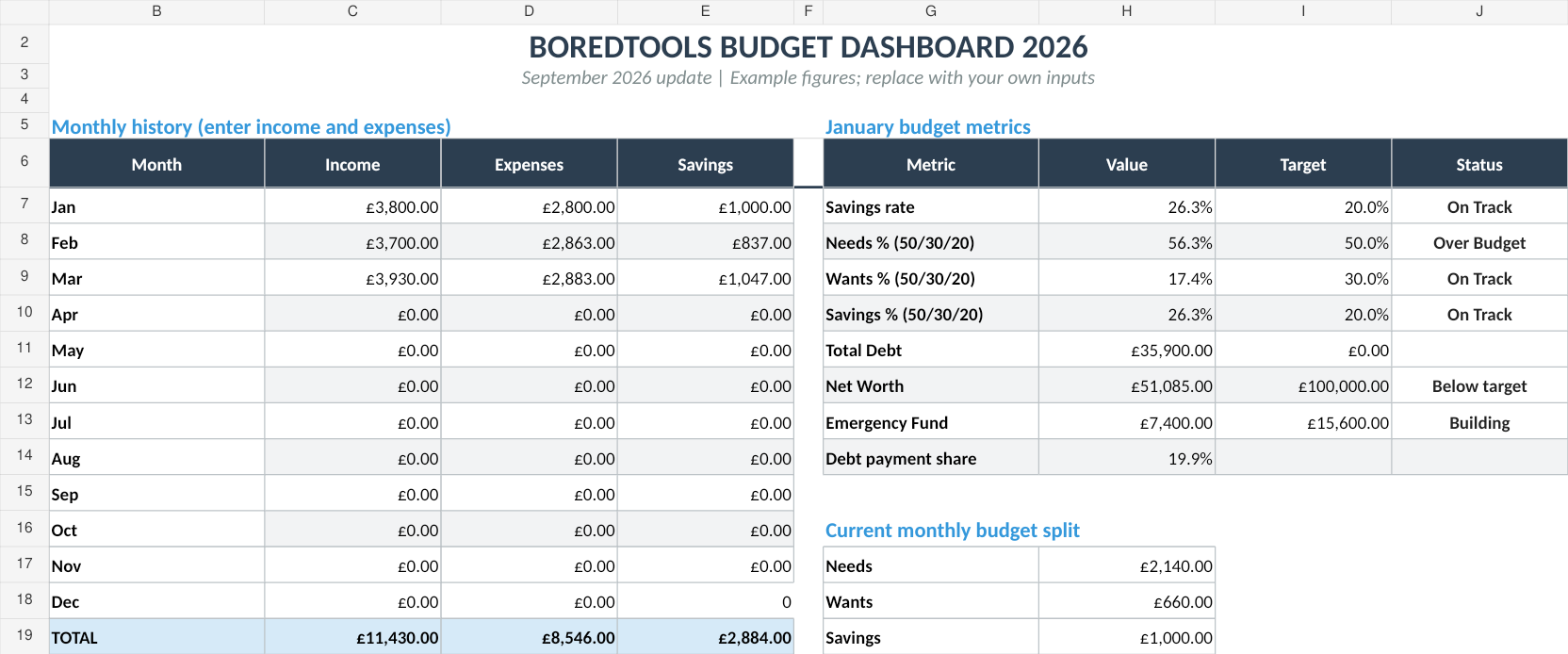
The fastest starting point is Free Budget Tracker. When you need debt payoff, net worth and savings goals too, Budget Dashboard 2026 is the next step.
The Short Version
The point of a monthly budget spreadsheet is not perfect categorisation. It is visibility.
Set it up so you can answer three questions:
- How much money came in this month?
- What had to go out no matter what?
- What is left for actual life?
If those three numbers are clear, the rest becomes much easier.
Step 1: Pick The Smallest Version That Solves The Problem
Use the free tracker if you are starting from scratch or just want a monthly reset.
Use Budget Dashboard 2026 if you already know you want:
- Debt payoff tracking
- Net worth tracking
- Savings goals
- A more complete view of the year
If you need several Sort & Keep templates, the Complete Collection is the broader fallback.
Step 2: Enter Income, Bills, And The Real Monthly Cost
Start with the boring stuff:
- Salary or freelance income
- Rent or mortgage
- Utilities
- Transport
- Food
- Insurance
- Subscriptions
Do not try to make every line perfect on day one. A useful spreadsheet is one you can update in ten minutes, not one you admire from a distance.
Step 3: Add Simple Categories That Match How You Actually Spend
Keep the categories readable. If a category is too vague, it becomes junk. If it is too detailed, you stop using it.
A good monthly budget sheet usually needs:
- Fixed costs
- Variable spending
- Savings
- Debt payments
That is enough to show whether the month is under control.
Step 4: Review It Once A Month
The real value comes from repetition.
At the end of the month:
- Check whether fixed bills matched the plan.
- Look for the categories that consistently run high.
- Decide whether the budget needs a minor tweak or a structural upgrade.
If the free tracker is still doing the job, keep using it. For the bigger picture, Budget Dashboard 2026 gives you a more complete system in one file.
Step 5: Upgrade Only When The Free Version Feels Too Small
Upgrade when you want more than a monthly snapshot.
That usually means you need:
- Yearly visibility
- Debt payoff planning
- Net worth tracking
- Savings goals in the same workbook
That is the point where the paid dashboard earns its keep instead of just adding more spreadsheet.
Common Mistakes
- Tracking too many categories too early
- Turning the sheet into a project instead of a habit
- Buying a subscription app before you know what you actually need
- Ignoring the monthly review and expecting the spreadsheet to do mind reading
Related Reading
Final Recommendation
If you want a simple monthly reset, start with the free tracker.
When the whole money picture needs one place, Budget Dashboard 2026 is the upgrade path.
If you want both the budget tools and the rest of the catalog, Complete Collection is the catch-all option.
Choose the right next step
Need a simple budget tracker spreadsheet? Start with the Free Budget Tracker. Use Budget Dashboard 2026 when you want budgets, debt, savings and net worth in one workbook. Choose the Complete Collection when several parts of life admin need sorting.