Savings Goal Tracker Spreadsheet: Sinking Funds & Big Purchases
Savings goal tracker spreadsheet for sinking funds, emergency savings, and big purchases. Free step-by-step setup guide. Get the template.

From Sort & Keep, the maker of the linked templates. Our current product prices update with your selected currency. Worked examples and third-party prices keep their stated currency and date.
The reason most savings goals fail has nothing to do with willpower. It's that people save whatever is "left over" at the end of the month. And there's never anything left over. A savings goal tracker spreadsheet fixes this by making every goal visible, every contribution non-negotiable, and every bit of progress tangible.
If you've ever been blindsided by a £600 car insurance bill or scrambled to fund Christmas in December, this is the system that makes those "surprises" disappear.
The Three Types of Savings You Need to Track
Not all savings goals are the same. Lumping everything into one account with a vague "save more" intention is how people end up raiding their emergency fund for a holiday.
1. Emergency Fund
Your financial fire extinguisher. The standard target is 3-6 months of essential expenses. Not income, expenses. If your household needs cost £2,200/month (rent, food, utilities, transport, insurance), you're aiming for £6,600 to £13,200.
Start with a £1,000 starter fund if you're also paying off debt. Then build to 3 months. Then 6 months if your income is variable or you're the sole earner. This money is for genuine emergencies only: job loss, medical bills, urgent home repairs.
2. Sinking Funds
Predictable large expenses spread across months so they never hit you all at once. These are bills you know are coming. They just don't arrive monthly.
Common sinking funds: car insurance (£400-£800/year), car MOT and servicing (£300-£600/year), Christmas and gifts (£300-£1,000/year), holidays (£1,000-£3,000/year), home maintenance (1% of home value per year), annual subscriptions, school costs, and pet expenses.
The key insight: none of these are surprises. They happen every single year. The only surprise is when people don't plan for them.
3. Big Purchase Goals
One-off targets with a specific amount and deadline: house deposit (£15,000-£30,000+), new car (£5,000-£20,000), wedding (£10,000-£30,000), home renovation, or a career change fund.
Big goals need a monthly contribution amount and a realistic timeline. Wanting to save £20,000 for a house deposit in 12 months on a £2,800 take-home salary is not a plan. It's a fantasy. A savings goal tracker spreadsheet forces you to do the maths.
Why a Spreadsheet Beats a Savings App
You see all goals simultaneously. Apps tend to show one goal at a time. A spreadsheet gives you the full picture. Emergency fund at 68%, Christmas fund on track, house deposit behind schedule. All in one view.
You calculate exactly how much per month per goal. Target amount, deadline, current balance. The spreadsheet tells you the precise monthly contribution needed.
You adjust instantly when priorities change. Got a bonus? See how it accelerates your house deposit. Need to pause holiday savings for two months? Recalculate the remaining monthly amount in seconds.
No subscription fees eating your savings. Paying £2.99/month for a savings app is £35.88/year. Ironic when the whole point is to save money. A Google Sheet is free forever.
Step-by-Step: Building a Savings Goal Tracker in Google Sheets
This takes about 20 minutes to set up and 5 minutes per month to maintain.
Step 1: Create the Goal List
Open a new Google Sheet. Name the first tab "Savings Goals" and set up your master list:
| A | B | C | D | E | F | |
|---|---|---|---|---|---|---|
| 1 | Goal | Type | Target | Deadline | Current Balance | Monthly Needed |
| 2 | Emergency Fund | Emergency | 13,200 | Ongoing | 4,800 | 350 |
| 3 | Car Insurance | Sinking | 680 | Nov 2026 | 340 | 42.50 |
| 4 | Christmas | Sinking | 600 | Dec 2026 | 150 | 50 |
| 5 | Summer Holiday | Sinking | 2,400 | Jul 2026 | 1,200 | 300 |
| 6 | House Deposit | Big Purchase | 25,000 | Mar 2028 | 8,500 | 687.50 |
| 7 | New Laptop | Big Purchase | 1,200 | Sep 2026 | 400 | 133.33 |
Step 2: The Monthly Contribution Calculator
The "Monthly Needed" formula in column F:
=(C2-E2)/MAX(1, DATEDIF(TODAY(), D2, "M"))
This takes the remaining amount (target minus current balance) and divides by the months remaining. The MAX(1,.) prevents a divide-by-zero error when the deadline is this month. For the emergency fund (no hard deadline), set a manual monthly amount you can sustain.
Total monthly savings needed: =SUM(F2:F7). This single number tells you exactly how much to transfer on payday.
Step 3: Add Progress Bars with Conditional Formatting
In column G, calculate the percentage complete: =E2/C2
Format as a percentage, then use the SPARKLINE function for in-cell progress bars:
=SPARKLINE(E2/C2, {"charttype","bar";"max",1;"color1","#4CAF50";"color2","#E0E0E0"})
This creates a green bar inside the cell that fills as you approach your target.
Step 4: Build a Sinking Fund Calendar
Create a second tab called "Sinking Fund Calendar" showing when each fund is needed:
| Month | Car Insurance | Christmas | Holiday | MOT | School | Total Due |
|---|---|---|---|---|---|---|
| Jan | 0 | |||||
| Mar | 320 | 320 | ||||
| Jul | 2,400 | 2,400 | ||||
| Aug | 280 | 280 | ||||
| Nov | 680 | 680 | ||||
| Dec | 600 | 600 |
This calendar is a sanity check. You can see at a glance that July is your most expensive month and plan accordingly.
Savings Goal Tracker Spreadsheet: Comparing Your Options
Piggy Bank Apps (Plum, Chip, Moneybox)
Platform: iOS and Android | Price: Free tiers; premium £2.99-£9.99/month
Pros: Automated saving removes willpower from the equation. Round-ups feel painless. Chip offers 4%+ on easy access savings.
Cons: Premium fees eat into savings (£35-£120/year). Limited goals on free tiers. Auto-saving can overdraw tight accounts. Hard to see all goals with exact contribution maths on one screen.
Verdict: Good for people who genuinely cannot save manually. The automation comes at the cost of control and visibility.
Banking Pots (Monzo, Starling, Chase)
Platform: In-app | Price: Free
Pros: Completely free. Money is ring-fenced but accessible. Scheduled payday transfers. FSCS protected up to £85,000.
Cons: Limited to one bank's app. No monthly contribution calculator. No sinking fund calendar. Poor interest rates (0.5-1.5%). You work out the maths yourself.
Verdict: Simplest option for 2-3 goals. Falls apart when you have 6-8 sinking funds that need coordinating.
Round-Up Apps (Moneybox, Plum, bank-native)
Platform: iOS/Android or built into banking apps | Price: Free to £3.99/month
Pros: Effortless. Adds up to £30-£60/month for average spenders. Good entry point for non-savers.
Cons: Unpredictable amounts. Can't target specific goals with specific amounts. Won't reach a £25,000 house deposit.
Verdict: A nice supplement, not a strategy. Round-ups can feed a "fun money" fund but shouldn't be your primary savings method.
Spreadsheet Trackers (Google Sheets, Excel)
Platform: Any browser | Price: Free
Pros: See all goals in one view. Full control over calculations. Works across banks. Sinking fund calendar shows the full year. Adjustable in seconds.
Cons: Requires 5 minutes of manual updating per month. No automation. Needs basic spreadsheet skills (or a template).
Verdict: The best option for anyone with more than three savings goals who wants precise control.
Dedicated Budgeting Spreadsheets (Sort & Keep, Tiller, YNAB)
Platform: Google Sheets / Excel / Web app | Price: Free to $7.99 one-time (Sort & Keep); $6.58/month (Tiller); $14.99/month (YNAB)
Pros: Savings goals integrated with your full financial picture. Professional formatting already built. One-time purchase vs. Ongoing subscription.
Cons: YNAB costs £180+/year. Learning curve for full-featured tools. Tiller requires bank linking.
Verdict: If you want savings tracking as part of a complete financial system, a one-time purchase template is the sweet spot.
The Sinking Fund Concept: A Real Example
Meet the Parkers. Two adults, two kids, household take-home of £4,600/month. Before sinking funds, every annual bill was a crisis. Car insurance meant scrambling. Christmas meant credit cards. The summer holiday went on buy-now-pay-later every year.
Here's their sinking fund setup:
| Fund | Annual Cost | Monthly Contribution |
|---|---|---|
| Car Insurance | £720 | £60 |
| Car MOT + Servicing | £480 | £40 |
| Christmas + Gifts | £800 | £66.67 |
| Summer Holiday | £2,400 | £200 |
| Home Maintenance | £1,200 | £100 |
| School Costs (uniforms, trips) | £360 | £30 |
| Pet (vet, food spikes) | £300 | £25 |
| Annual Subscriptions (gym, software) | £420 | £35 |
| Total | £6,680 | £556.67 |
That's £556.67 per month across eight sinking funds. It sounds like a lot. Until you realise they were already spending £6,680 per year on these things. The difference is that now it's planned, spread evenly, and funded in advance instead of being a series of financial emergencies.
The Parkers transfer £557 on the 1st of each month into a savings account with labelled pots. Their savings goal tracker spreadsheet shows the running balance of each fund, and the sinking fund calendar tells them exactly when each expense hits.
The result: not a single "surprise" bill in 18 months. No credit card debt from Christmas. No scrambling for car insurance. Every large expense is already paid for before it arrives.
That's the power of sinking funds. They turn irregular expenses into predictable monthly line items.
How Much Should You Save Each Month?
If you're staring at the numbers above and thinking "I can't save £556 a month plus an emergency fund plus a house deposit," here's a realistic framework:
Step 1: Build a £1,000 starter emergency fund. Priority one. Everything else waits.
Step 2: Set up sinking funds for non-negotiable annual expenses. Car insurance, MOT, and Christmas are the minimum. Even £150/month across three funds prevents the worst financial shocks.
Step 3: Once sinking funds are running, build your full emergency fund (3-6 months expenses) alongside them.
Step 4: Add big purchase goals once your emergency fund hits 3 months.
You don't have to do everything at once. A savings goal tracker spreadsheet lets you see all of this on one screen and prioritise based on what you can actually afford right now. As your income grows or debts shrink, you add more goals and increase contributions.
Related Reads
- How to Track Your Net Worth in Google Sheets
- FIRE Spreadsheet: Calculate Your Financial Independence Number
- Envelope Budget Spreadsheet: Digital Cash Envelopes
- Best Budget Spreadsheet Templates in 2026
Get Started
The maths behind savings goals is simple: target amount, minus current balance, divided by months remaining. The hard part is seeing it all in one place and making the contributions non-negotiable.
If you want a free starting point, grab our Monthly Budget Tracker on Sort & Keep | Also on Sort & Keep. It handles the budgeting basics and costs nothing. Use it alongside a savings goal tab to start tracking your first few goals.
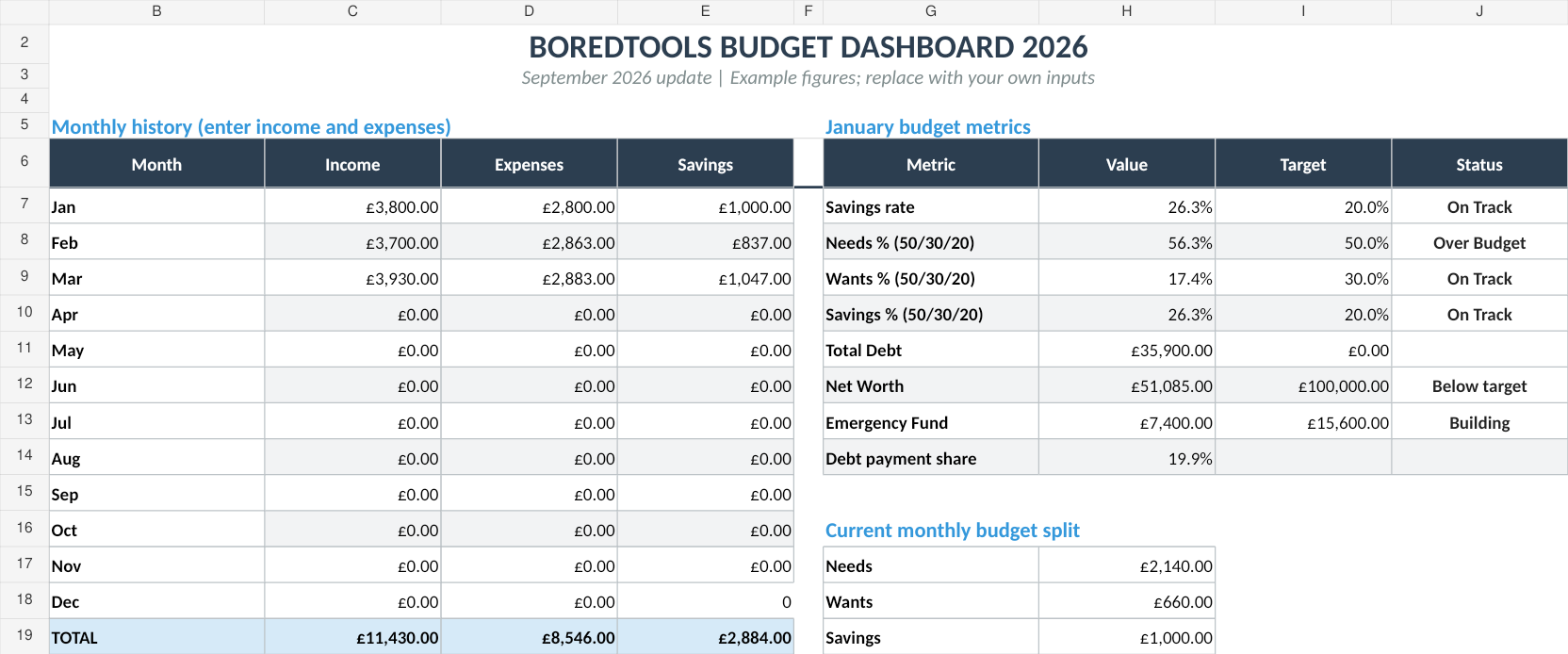
When you're ready for the full system, the Budget Dashboard 2026 (£7.99) on Sort & Keep | Also on Sort & Keep includes savings goal tracking, sinking fund management, progress visualisation, debt payoff calculators, and net worth tracking in one spreadsheet. One purchase, no subscription, and it handles everything we've covered in this guide.
UK edition built for British finances. HMRC Self Assessment categories, council tax tracking, National Insurance (Class 2 and Class 4) calculations, ISA allowances, and GBP formatting throughout. US edition included with IRS tax brackets, 401(k) tracking, and USD formatting.
Start with one goal. Track it for one month. Watch the progress bar move. That's how saving becomes a habit instead of a hope.
Get free spreadsheet templates and updates. New templates, feature updates, and practical guides delivered to your inbox. No spam, unsubscribe anytime.
Subscribe free → | Already have a template? Download the free budget tracker or free meal planner. No email required.
Choose the right next step
The Level Up Life Planner is a gamified habit tracker spreadsheet for goals, habits, points and visible progress without adding another subscription.