Best Spreadsheet for Tracking Macros: Protein, Carbs & Fat
Macro tracking spreadsheets for protein, carbs, and fat — no subscriptions, no ads. We tested the best options. Compare options.

From Sort & Keep, the maker of the linked templates. Our current product prices update with your selected currency. Worked examples and third-party prices keep their stated currency and date.
MyFitnessPal wants £49.99 a year so you can scan barcodes and watch ads between meals. Cronometer charges £44.99 for the privilege of not seeing those ads. MacroFactor is £71.99. That is a lot of money to do arithmetic. And a spreadsheet for tracking macros does 80% of what these apps offer, with more flexibility, zero recurring cost, and no surprise "we've moved this feature to Premium" emails halfway through a cut.
We track macros in spreadsheets daily. We also use apps. This is not a religious argument. But after testing every option worth testing, we can say with confidence that most people who want to track protein, carbs, and fat accurately will get more value from a well-built spreadsheet than from a subscription app they'll cancel in three months.
Why Serious Trackers Use a Spreadsheet for Tracking Macros
The people who stick with macro tracking beyond the first few weeks tend to migrate toward spreadsheets. The reasons come up in every fitness forum, every dietitian subreddit, every bodybuilding Discord:
Custom macro ratios. Apps give you presets. 40/30/30 for balanced, roughly 5/25/70 for keto, high-protein variations at 40/40/20. But your actual targets depend on your body weight, activity level, training phase, and goals. A spreadsheet lets you set 37/28/35 if that's what your coach prescribed, without rounding to the nearest preset.
You own your data. Two years of food logs in an app are gone if the company shuts down, gets acquired, or decides to paywall exports. A spreadsheet is a file on your drive. Back it up, share it, modify it. It will be there in ten years.
Works offline. Excel doesn't need a server. Google Sheets caches for offline use. No "oops, we're doing maintenance" when you're trying to log dinner.
No ads, no social features you didn't ask for. MyFitnessPal's free tier is an ad-delivery platform that occasionally lets you log food. Even paid tiers of some apps push community features, friend requests, and "motivation" notifications that have nothing to do with tracking your protein.
Combine meal planning with macro tracking. In an app, planning meals and tracking macros are usually separate workflows. In a spreadsheet, your weekly meal plan and your daily macro log can live in the same workbook, feeding the same formulas. Plan Monday's meals on Sunday night and see the projected macros before you eat.
Transparency. Every formula is visible. If a number looks wrong, you can trace exactly how it was calculated. In an app, a suspicious calorie count is a black box. You have no idea whether the food entry was verified or submitted by a random user who eyeballed it.
How to Set Up a Macro Tracking Spreadsheet (The Right Way)
If you're building from scratch or evaluating a template, these are the components that separate a useful macro tracker from a glorified food diary.
1. A Food Database with Per-100g Macros
This is the foundation everything else builds on. Each food gets a row with protein, carbs, fat, and calories per 100 grams. Per-100g standardization matters because it lets you scale to any portion size with a single multiplication. The USDA FoodData Central database is free, complete, and more accurate than any crowdsourced app database.
A good spreadsheet includes 150-300 pre-loaded foods. The staples most people actually eat. You should be able to add custom entries easily for your specific brands and recipes.
2. A Daily Log with Auto-Calculation
You enter the food and the weight in grams. The spreadsheet calculates protein, carbs, fat, and calories automatically by pulling from the food database. Each meal gets a subtotal. Each day gets a total. Your remaining macros update in real time as you log.
At that point, you might as well use a notebook.
3. Weekly Average View
Day-to-day macro intake fluctuates. You eat 180g protein on Monday and 140g on Tuesday. If your tracker only shows daily totals, Tuesday looks like a failure. But your weekly average is 160g. Exactly on target.
Weekly averaging matters because your body doesn't reset at midnight. Muscle protein synthesis, glycogen replenishment, and fat storage all respond to trends over days, not individual meals. A spreadsheet that shows your 7-day rolling average gives you a much more useful picture than a daily pass/fail.
4. Macro Ratio Targets
Set your target split. 40/30/30 (balanced), 30/40/30 (high-protein), 5/25/70 (keto), or any custom ratio. And see how your actual intake compares. The best spreadsheets show this as both grams and percentages, with conditional formatting that turns green when you're within range and red when you're not.
Macro cycling support is a bonus. If you eat higher carbs on training days and lower carbs on rest days (a common approach for body recomposition), the spreadsheet should let you set different targets for different day types.
The Best Options to compare
Here are the main considerations.
1. Google Sheets Free Macro Tracking Templates
Platform: Google Sheets | Price: Free
The Google Sheets template gallery and various Reddit communities offer dozens of free macro trackers. The best ones we found were shared on r/fitness and r/mealprepsunday. Typically built by someone for their own use and then posted for others.
Pros:
- Completely free
- Some include surprisingly detailed food databases (50-100 foods)
- Easy to customize if you know basic Sheets formulas
- Cloud-based, accessible from phone or desktop
Cons:
- Quality varies wildly. Some have broken formulas, others use outdated nutritional data
- No weekly averaging in most free templates
- No macro ratio targets or conditional formatting
- Food databases are usually American-centric with no UK brands
- No recipe builder. You're logging individual ingredients
Verdict: Fine for someone comfortable with spreadsheets who wants a starting point to customize. Not reliable enough to use as-is for serious tracking. You'll spend more time fixing formulas than logging food.
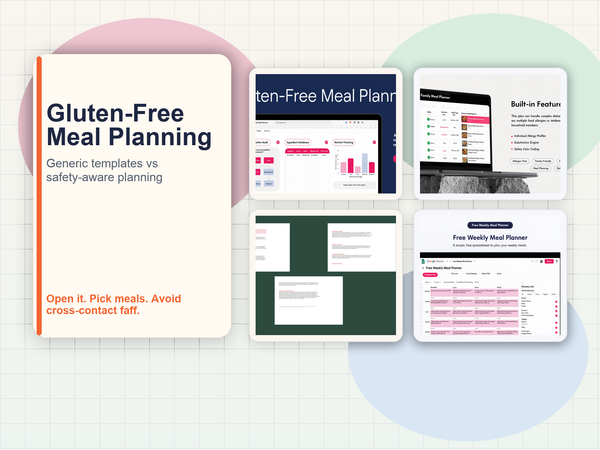
2. Sort & Keep Free Weekly Meal Planner
Platform: Google Sheets & Excel | Price: Free
Our free planner was built for meal planning rather than pure macro tracking, but it includes basic macro summaries for each day. It won't replace a dedicated macro tracker, but it handles the "plan meals and see the macro impact" workflow that many trackers actually want.
Pros:
- Actually free (no email gate, no upsell pop-ups)
- Working formulas for grocery list generation and basic macro summaries
- Clean layout that doesn't overwhelm beginners
- Works in both Google Sheets and Excel
Cons:
- Macro tracking is secondary to meal planning. No per-meal macro breakdown
- Limited food database compared to dedicated trackers
- No macro ratio targets or weekly averaging
- Single-person, not designed for household tracking
Verdict: The best free starting point if you want meal planning with macro awareness. If dedicated macro tracking is your primary goal, you'll want something more focused. But this is worth grabbing to build the planning habit.
Download the Free Weekly Meal Planner | Also on Sort & Keep
3. MyFitnessPal
Platform: iOS, Android, Web | Price: Free (limited) / £19.99-£49.99/year (Premium)
The biggest name in food logging. 14 million foods in the database. Barcode scanner. Social features. Also the app most frequently cited in complaints about accuracy, ads, and features being moved behind the paywall.
Pros:
- Massive food database. Almost every packaged product is in there
- Barcode scanner works well and saves real time with packaged foods
- Large community and recipe sharing
- Integrates with fitness trackers and gym apps
Cons:
- Crowdsourced database means duplicate entries with conflicting nutritional data for the same food
- Free tier is aggressively ad-supported. Banner ads, interstitial ads, promoted content
- Macro goals are limited to preset percentages on the free tier
- Custom macro targets require Premium (£49.99/year)
- Has locked features behind Premium that were previously free. User trust is low
- Your data lives on their servers. Export options are limited
Verdict: The barcode scanner and database size are genuine advantages over any spreadsheet. But the free tier is frustrating and the premium price is steep for what amounts to a food diary. If you're tracking macros seriously, the crowdsourced database accuracy issues undermine the whole point.
4. Cronometer
Platform: iOS, Android, Web | Price: Free (limited) / £44.99/year (Gold)
Cronometer is the accuracy-focused alternative to MyFitnessPal. Its food database prioritizes verified USDA and NCCDB data over crowdsourced entries. It tracks 82 micronutrients in addition to macros, which makes it popular with dietitians and people managing medical diets.
Pros:
- Most accurate food database of any tracking app. Verified sources, not crowdsourced
- Tracks 82 micronutrients, not just macros
- Custom macro targets available on free tier
- Clean interface with minimal social bloat
- Used by healthcare professionals
Cons:
- Smaller database than MyFitnessPal. You'll need to add more custom entries
- Free tier limits you to one custom recipe and shows ads
- £44.99/year for Gold (ad-free, unlimited recipes, food timestamps)
- No barcode scanner on free tier
- Recipe builder requires Gold for more than one saved recipe
Verdict: The best tracking app if accuracy matters to you. The verified database is leagues ahead of MyFitnessPal's crowdsourced chaos. But the annual cost adds up, and the free tier is restrictive enough that most serious users end up paying.
5. MacroFactor
Platform: iOS, Android | Price: £5.99/month or £71.99/year
MacroFactor takes a different approach. Instead of setting static macro targets, it uses an algorithm to adjust your targets based on your actual weight trend and intake. Founded by Greg Nuckols (Stronger By Science), it's aimed at intermediate-to-advanced lifters who want adaptive coaching.
Pros:
- Adaptive algorithm adjusts macros based on real-world results
- Verified food database with good accuracy
- No ads, no social features. Focused entirely on tracking
- Excellent data visualization and trend analysis
- Expenditure tracking estimates your actual TDEE from your data
Cons:
- Most expensive option at £71.99/year
- No free tier. 7-day trial only
- Algorithm needs 2-3 weeks of data before recommendations become useful
- Overkill if you just want a simple macro log
- No web version. Mobile only
Verdict: The most sophisticated tracking tool available. If you're deep into body recomposition or competitive prep and want AI-adjusted targets, MacroFactor earns its price. For most people tracking macros to generally eat better, it's more than you need.
6. Dedicated Macro Tracking Spreadsheets (Sort & Keep Dietary Range)
Platform: Google Sheets & Excel | Price: $9.99 (one-time)
We don't have a standalone "macro tracker" spreadsheet. Because in our experience, nobody tracks macros in isolation. You're tracking macros because you're eating keto, or you're vegan and need to hit protein targets, or you're planning meals and want to see the nutritional impact. The macro tracking is built into each of our dietary planners.
The Keto Meal Planner (Sort & Keep) tracks macros with an emphasis on net carbs, fat ratios, and ketosis zone monitoring. The Vegan Meal Prep Planner (Sort & Keep) tracks macros alongside amino acid profiles and the micronutrients vegans most commonly lack. Both include per-meal breakdowns, daily totals, weekly averages, and custom ratio targets.
UK edition built for your kitchen. Portions in grams, ingredient names you'll recognise (courgette not zucchini, coriander not cilantro), and nutritional data from McCance and Widdowson. US edition included with USDA data and American measurements.
Pros:
- One-time cost, no subscription
- Per-meal and per-day macro breakdowns with weekly averaging
- Custom macro ratio targets with conditional formatting
- Verified food databases (250+ keto ingredients, 300+ vegan ingredients)
- Recipe builder. Enter ingredients, get the macro breakdown for the full recipe
- Full formula transparency. Every calculation is visible and auditable
- Works offline in Excel, cloud-accessible in Google Sheets
Cons:
- No barcode scanner (it's a spreadsheet)
- Dietary-specific. You pick the one that matches your eating pattern
- Smaller databases than the big apps (curated for accuracy, not breadth)
- Requires manual food entry (faster than you'd think once you've logged your staple meals)
Verdict: The best option if you want accurate macro tracking combined with meal planning, no recurring cost, and full ownership of your data. The trade-off is manual entry versus barcode scanning. A trade-off most people find worthwhile after the first week, once their regular foods are saved.
Get the Keto Meal Planner (£9.99) | Also on Sort & Keep | Get the Vegan Meal Prep Planner (£9.99) | Also on Sort & Keep
Features That Actually Matter for Macro Tracking
Not all macro trackers are equal. Here are the features that separate tools you'll use for months from tools you'll abandon in a week.
Per-Meal vs. Per-Day View
A daily macro total tells you whether you hit your targets. A per-meal breakdown tells you how you hit them. Did you front-load all your protein at dinner, or did you spread it across four meals? Research suggests protein distribution matters for muscle protein synthesis. 30-40g per meal is more effective than 10g at breakfast and 100g at dinner. A per-meal view makes this visible.
Custom Food Database
Every tracker has a database. What matters is whether you can add your own entries easily. You eat at the same 20-30 foods most weeks. Once those are in your database with accurate macros, daily logging takes under five minutes. A template that makes adding custom foods painful will slow you down every day.
Recipe Builder
You make a stir-fry with chicken, broccoli, rice, soy sauce, and sesame oil. You don't want to log five separate ingredients every time. A recipe builder lets you enter the ingredients once, get the macro breakdown for the full recipe, save it, and log "chicken stir-fry" as a single entry next time. This feature alone cuts daily logging time in half.
Progress Charts
Numbers in cells are useful. A chart showing your average protein intake climbing from 120g to 160g over six weeks is motivating. The best spreadsheets include auto-updating charts for weekly macro averages, macro ratio adherence, and calorie trends. Apps generally do this better than spreadsheets, but a well-built template with a few charts goes a long way.
Macro Cycling Support
If you eat different macros on training days versus rest days. Higher carbs and calories on lifting days, lower on rest days. Your tracker needs to know the difference. A single daily target that doesn't account for cycling will show you "over" on training days and "under" on rest days, even when you're hitting your plan perfectly. This feature is surprisingly rare in both apps and spreadsheets.
Spreadsheet for Tracking Macros vs. App: The Honest Trade-Off
We've laid out the options. Here's the real decision framework.
Choose a spreadsheet if:
- You want zero recurring cost
- You care about data ownership and portability
- You want custom macro ratios, not presets
- You combine meal planning with macro tracking
- You value formula transparency over convenience
- You eat mostly whole foods and home-cooked meals (where barcode scanning doesn't help)
Choose an app if:
- You eat a lot of packaged foods (barcode scanning is a genuine time-saver)
- You want a massive food database without building your own
- You need the social accountability of a community
- You're willing to pay annually for a polished mobile experience
- You want adaptive coaching (MacroFactor specifically)
The hybrid approach is what most long-term trackers settle on: a spreadsheet for weekly meal planning and macro targets, and an app for on-the-go logging when you eat something unexpected. The spreadsheet is your system of record. The app is your convenience tool.
Our Recommendation
If you've never tracked macros in a spreadsheet, start with the Free Weekly Meal Planner | Also on Sort & Keep. It'll get you comfortable with the spreadsheet workflow. Entering meals, reading auto-calculated nutrition data, planning a week at a time. It costs nothing and takes five minutes to set up.
If you already know your dietary approach and want serious macro tracking:
- Keto or low-carb? The Keto Meal Planner tracks net carbs accurately (not total carbs), monitors your ketosis zone, and includes electrolyte tracking to prevent keto flu. £9.99 on Sort & Keep (Sort & Keep).
- Vegan or plant-based? The Vegan Meal Prep Planner tracks macros alongside amino acid profiles, so you know your protein isn't just hitting a gram target but actually covering all nine essential amino acids. £9.99 on Sort & Keep (Sort & Keep).
- General macro tracking with meal planning? Start with the free planner (Sort & Keep) and see our full breakdown of meal planning spreadsheet templates for more options across every dietary need.
Every paid planner is a one-time purchase. No subscriptions. No ads. No features locked behind a premium tier. Google Sheets and Excel compatible. Your data stays yours.
A spreadsheet won't scan barcodes. It won't suggest recipes. It won't send you motivational push notifications. What it will do is give you an accurate, transparent, fully customizable macro tracking system that works exactly the way you want it to, costs you once, and never changes its pricing model. For most people, that's more than enough.
Related Reads
- Best Meal Planning Spreadsheet Templates in 2026
- Grocery Budget Tracker Template
- How to Meal Prep on a Budget
- Keto Meal Planner with Net Carb Calculator
Get free spreadsheet templates and updates. New templates, feature updates, and practical guides delivered to your inbox. No spam, unsubscribe anytime.
Subscribe free → | Already have a template? Download the free budget tracker or free meal planner. No email required.
Choose the right next step
Start with the Free Weekly Meal Planner for a basic week and grocery list. For a dietary workflow, choose the gluten-free planner, vegan meal-prep planner, keto and low-carb planner, multi-allergy family planner. The Meal Planning Bundle puts all four specialist workbooks in one purchase.