Best Wedding Budget Spreadsheets in 2026
Wedding budget spreadsheets tested and ranked. Best free and paid options to track costs and compare vendors. Find the right fit.

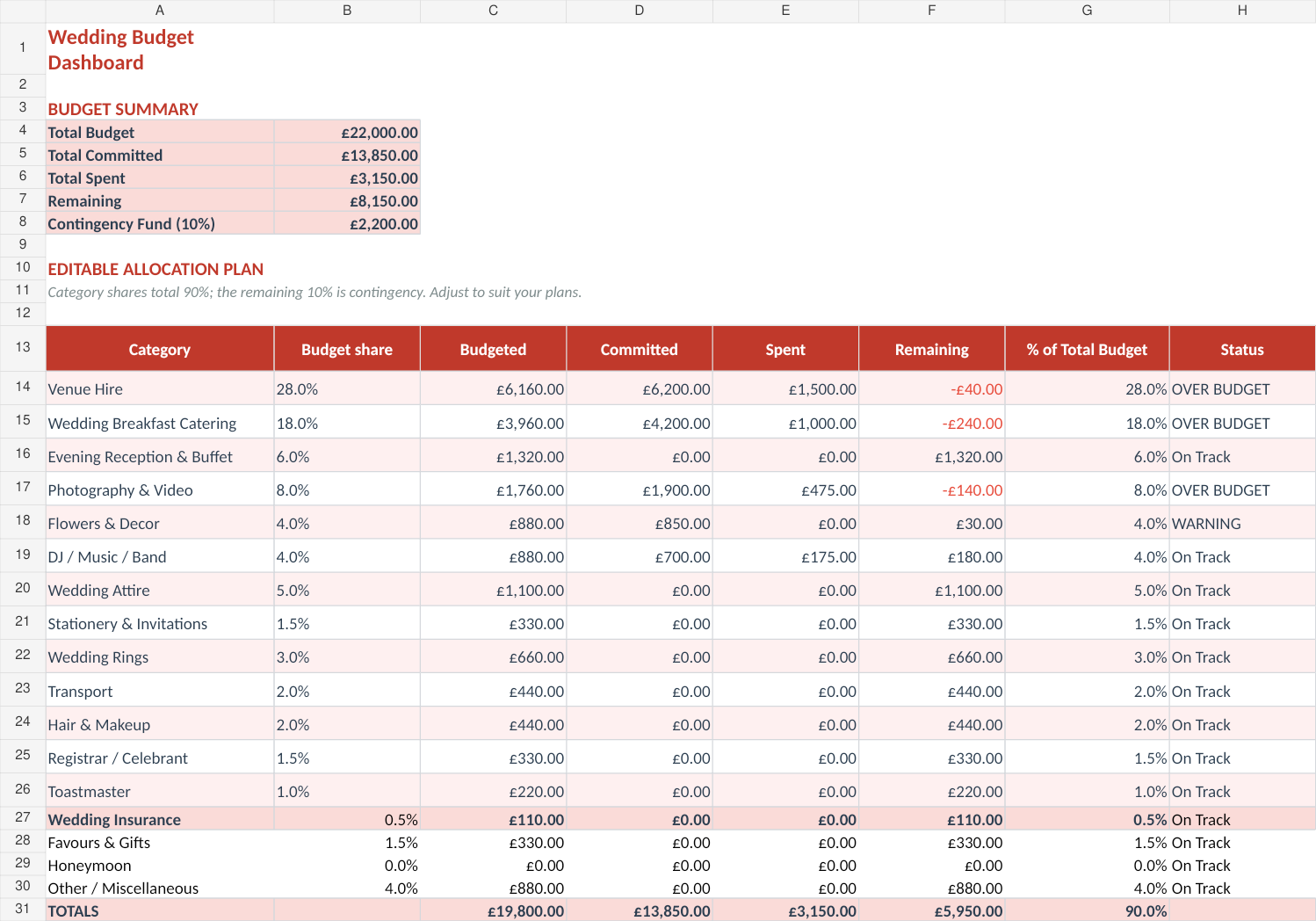
From Sort & Keep, the maker of the linked templates. Our current product prices update with your selected currency. Worked examples and third-party prices keep their stated currency and date.
The average UK wedding costs £20,700, and roughly 60% of couples spend more than they planned. A wedding budget spreadsheet is the difference between "we think we're roughly on track" and knowing exactly where every pound went. Here's what actually prevents overspending and what just gives you a pretty grid to ignore.
If you want to skip straight to the best option: Get the Sort & Keep Wedding Budget & Vendor Planner for £4.99 on Sort & Keep.
No affiliate kickbacks from any third-party tool on this list. We sell our own planner and we'll be upfront about where it fits.
What Makes a Good Wedding Budget Spreadsheet
Before the individual reviews, here's the checklist we used. A wedding budget spreadsheet needs to handle at least four of these five things well, or you'll abandon it before you've booked a florist.
1. Estimated vs. actual tracking. Every category needs two numbers: what you planned to spend and what you actually spent. A spreadsheet that only tracks one number is a shopping list, not a budget.
2. Vendor comparison. You'll get two to four quotes for every major category. Venue, catering, photography, flowers. You need to compare them side-by-side on price, what's included, and what costs extra. One vendor field per category means you're opening a separate document to compare, which defeats the point.
3. Payment schedule with deposit dates. Wedding vendors don't all get paid at once. There are deposits (typically 25-50% at signing), installments, and final payments due two to four weeks before the day. Tracking who gets paid when, and whether you'll have the cash ready, is a logistics problem most templates ignore.
4. Per-category breakdown. At minimum: venue, catering, photography/videography, flowers and decor, dress and attire, entertainment, stationery, transport, and honeymoon. Any template that lumps these together leaves gaps.
5. Hidden cost visibility. Service charges, corkage fees, overtime rates, vendor meals, cake-cutting fees, postage for invitations. These add-ons typically inflate the base budget by 15-30%. A spreadsheet that only tracks the headline quote is giving you a false sense of control.
The Best Wedding Budget Spreadsheets We Found
Organised from free to paid, with an honest take on each.
1. Free Google Sheets Wedding Budget Templates
Platform: Google Sheets | Price: Free | Best for: Couples comfortable building their own system
Google's template gallery includes a basic wedding budget tracker, and the community has built dozens of variations. The best free options surface through Reddit's r/weddingplanning and r/UKweddings. The Vertex42 template and the Google-native "Wedding Budget" in the Sheets gallery are the most commonly recommended starting points.
Pros:
- Completely free, no sign-up required
- Cloud-based, so both partners can edit simultaneously from any device
- Unlimited customisation if you're comfortable with formulas
- Easy to share with contributing parents who want visibility
Cons:
- Most free templates are bare-bones: a grid with categories and one column for estimated cost
- No vendor comparison, no payment scheduling, no hidden cost tracking
- Formulas break easily when you add rows or rearrange categories
- You're building the logic yourself, which takes two to four hours to do properly
Verdict: A reasonable starting point if one of you genuinely enjoys spreadsheets and has time to build out the missing features. For everyone else, you'll outgrow it within a month of actual vendor booking.
2. Hitched Wedding Budget Planner
Platform: Web (hitched.co.uk) | Price: Free | Best for: Quick-start UK budgeting with industry benchmarks
Hitched is the UK's largest wedding planning platform, and their online budget planner is the most commonly used free tool. It pre-populates categories based on UK averages and lets you adjust your total budget, with percentages auto-distributing across categories.
Pros:
- UK-focused with realistic category allocations based on real survey data
- Pre-populated categories save setup time. Usable in under five minutes
- Tracks estimated vs. actual per category
- Free, no spreadsheet skills required
Cons:
- Web-only, not downloadable. If Hitched changes or removes the tool, your data goes with it
- No vendor comparison feature
- No payment schedule tracking
- Limited customisation. You can adjust amounts but not add categories or change the structure
- Requires a Hitched account (free, but they will email you)
Verdict: Good for getting a quick overview of how to allocate your budget. Not enough for ongoing tracking once you start signing vendor contracts. Most couples use it as a starting framework, then move to a spreadsheet for the detail work.
3. The Knot Budget Tracker (App)
Platform: iOS, Android, Web | Price: Free | Best for: App-first couples who want mobile access
The Knot's budget tracker is part of their broader wedding planning app. It includes pre-set categories, estimated vs. actual tracking, and the ability to mark items as paid. The app also integrates with their vendor directory.
Pros:
- Polished mobile app, genuinely pleasant to use
- Pre-populated categories with suggested allocations
- Tracks estimated, actual, and paid amounts
- Free with no paywall on budget features
Cons:
- US-centric. Categories, terminology, and suggested allocations are built for American weddings
- No vendor comparison side-by-side
- No payment schedule or deposit tracking
- Your data lives inside The Knot's platform with no export to spreadsheet
- Ads and upsells for The Knot's vendor marketplace throughout the experience
Verdict: A solid free option for mobile-first couples planning a US wedding. For UK couples, the American defaults create constant friction. No spreadsheet export means you're locked into their platform.
4. Paid Etsy Wedding Budget Spreadsheet Templates (£5-£15)
Platform: Google Sheets or Excel | Price: £5-£15 | Best for: Couples who want a polished, ready-made spreadsheet
Etsy has a thriving market for wedding spreadsheets. The top sellers have thousands of reviews and offer packages including budget trackers, guest lists, timelines, and seating charts.
Pros:
- Professionally designed with colour coding, dashboards, and clean layouts
- Most include estimated vs. actual tracking per category
- Pre-built formulas save hours of setup time
- One-time purchase, works in Google Sheets or Excel
- Many include guest list and timeline tabs alongside the budget
Cons:
- Vendor comparison is consistently weak. Most give you one vendor field per category
- Payment scheduling is rare; deposit tracking is almost nonexistent
- Hidden costs (service charges, corkage, overtime) are not accounted for
- Formula protection varies. Some break easily when you customise
- Quality is inconsistent; the screenshots look better than the actual product in some cases
Verdict: A meaningful step up from free templates. The best options handle the basics: categories, estimated vs. actual, visual summaries. But they consistently miss the three features that prevent overspending: vendor comparison, payment scheduling, and hidden cost tracking. If you just need a clean budget tracker, these are fine. If you want to catch budget drift before it becomes a problem, you'll need more.
5. Sort & Keep Wedding Budget & Vendor Planner
Platform: Google Sheets & Excel | Price: £4.99 (one-time) | Best for: Couples who want vendor comparison, payment tracking, and hidden cost visibility in one sheet
Full disclosure: this is ours. We built it after reviewing every option on this list and finding the same three gaps in all of them: no vendor comparison, no payment scheduling, and no hidden cost calculator. The planner closes all three.
What's included:
- Three-way budget view. Estimated, committed, and actual spending per category. You can see at a glance if your committed spending already exceeds your estimated budget before you've paid another pound
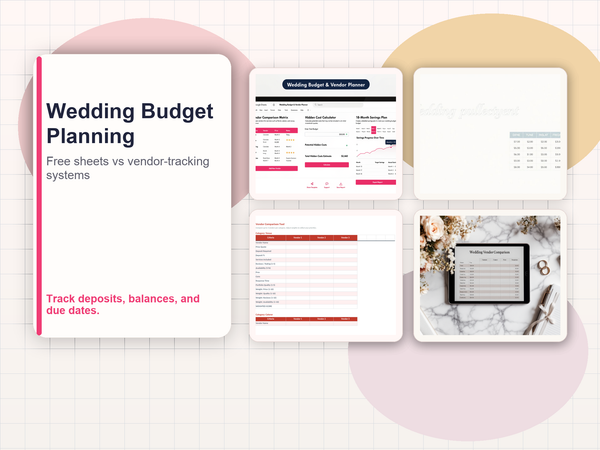
- Vendor comparison tool. Compare up to three quotes side-by-side per category (venue, catering, photography, flowers, music, etc.) with base price, included services, estimated hidden costs, and a weighted score across price, reviews, availability, and fit
- Payment schedule tracker. Every vendor, every deposit, every installment, every final payment, sorted by date. Colour coding flags payments due in the next 30 days (yellow) and overdue payments (red)
- Hidden cost calculator. Prompts you to estimate service charges (18-25%), gratuities (10-20%), delivery fees, overtime rates, vendor meals (£25-£50/head), and corkage. Totals these and adds them to your committed budget
- Guest list with per-head cost calculator. Running headcount that feeds into your catering estimate so the budget adjusts automatically as RSVPs come in. Learn more about how the full planner works
- Savings tracker. Current balance, monthly savings target, projected savings by each payment deadline, and a gap warning if a deadline will arrive before your savings cover it
- Industry benchmark allocations. Starting defaults based on UK wedding data (venue/catering 40-50%, photography 10-15%, flowers 8-10%, entertainment 5-8%, etc.)
Pros:
- The only spreadsheet we found with three-way budget tracking (estimated/committed/actual)
- Vendor comparison is genuine: side-by-side with weighted scoring, not just a notes field
- Hidden cost calculator typically surfaces £2,000-£6,000 in costs other templates miss entirely
- Payment schedule gives you a month-by-month view of every outgoing across all vendors
- All formulas protected so nothing breaks when you enter data
- One-time £4.99. No subscription, no account required
Cons:
- Less visually polished than some Etsy options (function over form)
- No app. It's a spreadsheet, so no push notifications for payment deadlines
- Vendor comparison maxes out at three quotes per category
Verdict: We're biased, obviously. But the feature gap between this and every other option on the list is real. The hidden cost calculator alone pays for itself many times over. Seeing that your £15,000 vendor budget actually costs £18,500 once service charges, gratuities, and delivery fees are added is the kind of wake-up call that changes decisions. At £4.99, it costs less than a single vendor's late-payment penalty.
Get the Sort & Keep Wedding Budget & Vendor Planner for £4.99 on Sort & Keep | Full feature breakdown: Wedding Budget & Vendor Planner
Sort & Keep wedding templates are built twice. The UK edition uses registrars, suppliers, hen parties, VAT, and Hitched UK cost benchmarks. The US edition uses officiants, vendors, bridal showers, and sales tax. Not a currency swap. Separate wedding cultures.
6. Build Your Own Wedding Budget Spreadsheet (DIY)
Platform: Google Sheets or Excel | Price: Free | Best for: Spreadsheet-confident couples who want total control
The DIY approach means starting from a blank sheet and building exactly what you need. If one of you works in finance, data, or engineering, this is tempting. And it can produce the most tailored result.
Pros:
- Completely free and infinitely customisable
- You understand every formula because you wrote it
- Can be tailored precisely to your wedding's structure and priorities
- No learning curve for someone else's layout
Cons:
- Takes four to eight hours to build properly with formulas, formatting, and category logic
- The person who built it becomes the only person who understands it
- Formula errors compound silently. You might not catch a broken SUM until the budget is already off
- You'll rebuild features that already exist in paid templates (vendor comparison, payment tracking, dashboards)
- Time spent building the spreadsheet is time not spent planning the wedding
Verdict: A genuine option if you have the skills and enjoy the process. But be honest with yourself: if you're spending a Saturday building a budget spreadsheet instead of using one, you're procrastinating. Most couples who start DIY end up buying a template by month two.
Quick Comparison Table
| Option | Price | Est. vs. Actual | Vendor Comparison | Payment Schedule | Hidden Cost Calculator | Platform |
|---|---|---|---|---|---|---|
| Free Google Sheets | Free | Basic | No | No | No | Google Sheets |
| Hitched Planner | Free | Yes | No | No | No | Web only |
| The Knot App | Free | Yes | No | No | No | iOS/Android/Web |
| Etsy Templates | £5-£15 | Yes | Minimal | Rare | No | Sheets/Excel |
| Sort & Keep Planner | £4.99 | Three-way | Yes (3 per category) | Yes | Yes | Sheets/Excel |
| DIY Spreadsheet | Free | If you build it | If you build it | If you build it | If you build it | Sheets/Excel |
Features That Actually Prevent Overspending
A wedding budget spreadsheet's job is not to record what you spent after the fact. Its job is to stop you spending more than you planned. These are the four features that make the difference, regardless of which tool you choose.
Three-Way Budget View: Estimated, Committed, and Actual
Most templates track two numbers: what you budgeted and what you spent. That misses the most dangerous phase: the gap between signing a contract and making the final payment.
Here's why it matters. You budget £5,000 for catering. In March, you sign a contract for £4,800. In June, you realise the contract total with service charges and vendor meals is actually £5,650. By September, when the final invoice arrives, you've been over budget for six months without knowing it.
A three-way view shows:
- Estimated: What you originally budgeted (£5,000)
- Committed: What you've contractually agreed to, including all known add-ons (£5,650)
- Actual: What you've paid to date (deposits, installments)
The moment your committed number exceeds your estimated number, you see it. Months before the final payment. That's the window where you can still adjust: negotiate, cut a different category, or decide to increase the total budget. After the invoices arrive, that window is closed. The Sort & Keep Wedding Budget Planner is the only spreadsheet we found that tracks all three columns out of the box.
Hidden Cost Calculator for Wedding Budgets
A venue quotes £8,000. Your budget says £8,000. Then the contract arrives:
- 20% service charge: +£1,600
- Corkage at £15/bottle for 80 guests: +£600
- £150 cake-cutting fee: +£150
- Vendor meals at £25/head for photographer, videographer, DJ, and coordinator: +£100
- Room hire for ceremony (not included in reception package): +£500
Your £8,000 venue is actually £10,950. That's 37% above the number on your template.
Multiply this across 10-12 vendor categories and you understand why 60% of couples overshoot. The catering quote doesn't include the 18% gratuity. The photographer's package doesn't include travel or overtime at £150/hour. The florist charges a £200 delivery and setup fee that wasn't in the proposal.
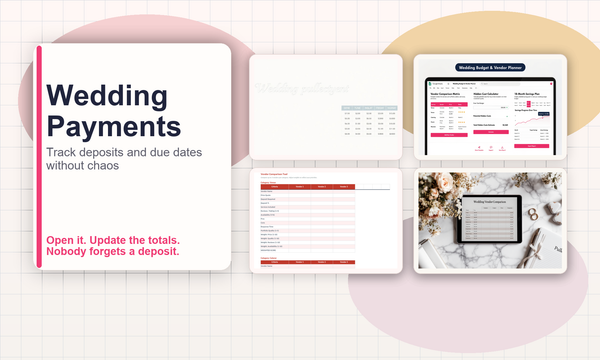
A hidden cost calculator prompts you to estimate these charges category by category. The totals are often £2,000-£6,000 above base vendor costs. Seeing that number before you sign contracts is the single most valuable thing a wedding budget spreadsheet can do. It's also why we built a dedicated vendor payment tracker to sit alongside the main budget.
Payment Schedule with Deposit Tracking
A typical 18-month engagement involves 20-40 separate payments across 10-15 vendors. Deposits, installments, and final balances all land on different dates. Without a schedule, you're relying on vendor emails and your memory. And a missed deposit can forfeit your booking.
The payment schedule should show every payment across every vendor, sorted by date, with the amount, vendor name, and whether it's a deposit, installment, or final payment. At a glance, you should know what's due this month and what's due next month.
Even a simple list sorted by date is better than nothing. The goal is to never be surprised by a payment landing in a week you weren't prepared for.
Guest List Cost-Per-Head Calculator
Guest count is the single biggest variable in a wedding budget. Every additional guest adds cost across catering (£80-£150/head), drinks (£30-£50/head), stationery (£3-£5/head), and favours (£2-£5/head). At the median, each guest costs roughly £130-£200 all-in.
A cost-per-head calculator connected to your guest list means the budget updates automatically as RSVPs come in. If 10 guests decline, your catering line drops by £800-£1,500. If 15 evening guests accept who you assumed wouldn't, your drinks budget needs to flex. Seeing this in real time, rather than discovering it at the final headcount deadline, gives you weeks of lead time to adjust.
Our Recommendation
Start with whatever matches your situation right now.
If you just need a quick overview of how to split your budget: Use the free Hitched planner to get ballpark allocations, then move to a proper spreadsheet once vendor booking begins.
If you want a polished, low-effort tracker: A well-reviewed Etsy template (£7-£12) handles the basics and looks good doing it.
If you want to actually prevent overspending, catch hidden costs before contracts are signed, compare vendor quotes side-by-side, and track every deposit and payment across a 12-18 month engagement: the Sort & Keep Wedding Budget & Vendor Planner is the most complete option we've found. The three-way budget view and hidden cost calculator are the two features that consistently save couples money, and no other template on this list includes both.
Whatever you choose, use it consistently. A mediocre spreadsheet you update weekly beats a perfect one you forget about after month one. Set a recurring calendar reminder: 15 minutes every Sunday. Review the numbers together. That habit is worth more than any template. And if you're also thinking about life after the wedding, our budget template for newlyweds covers merging finances once the honeymoon's over.
Grab the Sort & Keep Wedding Budget & Vendor Planner for £4.99 on Sort & Keep
More from this cluster
If wedding budget admin has turned into payment timing chaos, these are the next two reads worth clicking. More to read
Wedding Budget Spreadsheet Comparison: Free Sheets vs Vendor-Tracking Planner Systems
Compare free wedding budget sheets with a vendor-tracking planner so deposits, balances, and due dates do not get lost. Open guide Read the comparison More to read
How To Build a Vendor Payment Timeline in a Wedding Budget Spreadsheet
Build a wedding vendor payment timeline that tracks deposits, balances, and due dates before they become a surprise. Open guide Read the workflow
Get Wedding Budget & Vendor Planner
Related Reads
- Wedding Budget & Vendor Planner: Compare Quotes, Track Payments, Control Costs
- How to Track Wedding Vendor Payments Without Losing Your Mind
- Budget Template for Newlyweds: Merging Finances After the Wedding
- Best Budget Spreadsheet Templates in 2026
Get free spreadsheet templates and updates. New templates, feature updates, and practical guides delivered to your inbox. No spam, unsubscribe anytime.
Subscribe free | Already have a template? Download the free budget tracker or free meal planner. No email required.
Choose the right next step
The Wedding Budget & Vendor Planner is a wedding vendor payment tracker spreadsheet for budgets, deposits, due dates and final balances in one place.