Freelance Tax Calculator UK: Estimate Your Self-Assessment Bill
Freelance tax calculator UK spreadsheet showing income tax, National Insurance, and payments on account. Get the template.

From Sort & Keep, the maker of the linked templates. Our current product prices update with your selected currency. Worked examples and third-party prices keep their stated currency and date.
Every January, the same thing happens. Freelancers across the UK stare at a 31 January deadline, a login.gov.uk page, and the terrifying realisation that they have no idea what they owe. A freelance tax calculator UK search leads to a dozen online tools that spit out a number. You type in your income, click calculate, and get told you owe £4,800. Fine. But how? Where did that number come from? What counts as an expense? Why is the bill so much higher than expected?
If you don't understand how UK freelance tax is calculated, you can't plan for it. You can't make smart decisions about expenses, pension contributions, or timing invoices around the tax year. You just get a number and hope it's right.
A spreadsheet fixes this. Every formula is visible. Every band is labelled. When HMRC changes a threshold. Which they do regularly. You change one cell and the whole thing updates. We're going to walk through exactly how freelance tax works in the UK and then build the calculator step by step.
How Freelance Tax Actually Works in the UK
If you're self-employed in the UK, HMRC taxes you through Self Assessment. The calculation is straightforward once you see it laid out, but most freelancers have never seen it laid out.
Step 1: Calculate Taxable Profit
Trading income (everything clients paid you between 6 April and 5 April) minus allowable expenses (costs wholly and exclusively for your business) equals taxable profit.
Allowable expenses include things like software subscriptions, equipment, professional development, home office costs (simplified expenses: £10/month for 25-50 hours worked at home, £18/month for 51-100 hours, £26/month for 101+ hours), travel to client sites, professional insurance, and accounting fees. If you're not tracking these, you're overpaying.
Step 2: Income Tax
Income tax is calculated in bands against your taxable profit:
| Band | Rate | Taxable income range |
|---|---|---|
| Personal Allowance | 0% | £0 - £12,570 |
| Basic Rate | 20% | £12,571 - £50,270 |
| Higher Rate | 40% | £50,271 - £125,140 |
| Additional Rate | 45% | Over £125,140 |
The personal allowance tapers by £1 for every £2 earned over £100,000, disappearing entirely at £125,140. This creates an effective 60% marginal rate between £100,000 and £125,140. A nasty surprise for freelancers who cross that threshold.
So if your taxable profit is £45,000, the tax calculation is:
- First £12,570 at 0% = £0
- Remaining £32,430 at 20% = £6,486
- Total income tax: £6,486
Step 3: National Insurance Contributions
Self-employed freelancers pay two types of NI:
Class 2 NI: £3.45 per week if your profits exceed £12,570 per year. That's £179.40 annually. Small, but easy to forget.
Class 4 NI: This is the significant one.
- 6% on profits between £12,570 and £50,270
- 2% on profits above £50,270
Using the same £45,000 example:
- £45,000 - £12,570 = £32,430 at 6% = £1,945.80
- Class 2: £179.40
- Total NI: £2,125.20
Step 4: Total Tax Liability
- Income tax: £6,486
- National Insurance: £2,125.20
- Total: £8,611.20 on £45,000 profit
That's an effective tax rate of 19.1%. Knowing this number in April. Not scrambling for it in January. Is the entire point of building a calculator.
Building the Freelance Tax Calculator UK Spreadsheet
Here's how to build this in Google Sheets. We'll create five sections that flow into each other.
Section 1: Income Inputs
Create a simple table with two columns: Source and Amount. List every client or income stream. The total at the bottom feeds into the next section.
| Source | Amount |
|---|---|
| Client A - Web Development | £24,000 |
| Client B - Consulting | £15,000 |
| Client C - Retainer | £8,400 |
| Total Trading Income | £47,400 |
If you invoice in foreign currencies, convert at the exchange rate on the date of the invoice. Not the date you were paid. HMRC is specific about this.
Section 2: Expense Deductions
Categorise expenses using HMRC's Self Assessment categories. This makes filing drastically easier because the numbers map directly onto the SA103 form.
Key categories:
- Cost of goods sold. Subcontractors, materials
- Premises costs. Rent, utilities, home office (simplified expenses method or actual proportion)
- Admin costs. Software, phone, internet, stationery
- Travel. Client visits, conferences (not commuting to a regular workplace)
- Professional fees. Accountant, insurance, subscriptions to professional bodies
- Marketing. Website hosting, advertising, portfolio costs
- Capital allowances. Equipment over £1,000 (Annual Investment Allowance covers most freelancers fully)
Sum all expenses and subtract from total income:
Taxable Profit = Total Trading Income - Total Expenses
Section 3: Income Tax Calculation
This is where the spreadsheet earns its keep. Use MIN and MAX functions to calculate each band:
Basic Rate Tax  = (MIN(taxable_profit, 50270) - MIN(taxable_profit, 12570)) * 0.20
Higher Rate Tax = (MIN(taxable_profit, 125140) - MIN(taxable_profit, 50270)) * 0.40
Additional Tax  = MAX(taxable_profit - 125140, 0) * 0.45
Each formula handles edge cases automatically. If your profit is £30,000, the higher rate formula returns zero because MIN(30000, 125140) - MIN(30000, 50270) = 30000 - 30000 = 0. Clean.
For the personal allowance taper above £100,000, add:
Adjusted PA = MAX(12570 - MAX(taxable_profit - 100000, 0) / 2, 0)
Then replace the hardcoded 12570 in your basic rate formula with the Adjusted PA cell.
Section 4: National Insurance Calculation
Class 4 Lower = (MIN(taxable_profit, 50270) - MIN(taxable_profit, 12570)) * 0.06
Class 4 Upper = MAX(taxable_profit - 50270, 0) * 0.02
Class 2       = IF(taxable_profit > 12570, 3.45 * 52, 0)
Total NI = Class 4 Lower + Class 4 Upper + Class 2.
Section 5: Payment on Account Estimation
This is the section that saves you from the biggest shock in UK freelance tax. More on why in the next section. The formula:
Payment on Account = (Income Tax + Class 4 NI) * 0.50
Each payment on account is 50% of the current year's tax bill. Two payments: 31 January and 31 July. So you need three cells:
- Total tax liability (income tax + all NI)
- First payment on account (due 31 January with your Self Assessment)
- Second payment on account (due 31 July)
- Total due 31 January (balancing payment + first payment on account)
The Payment on Account Trap
This is the thing that catches almost every new freelancer in the UK. It caught us. Nobody warns you about it clearly enough.
When you file your first Self Assessment, HMRC doesn't just ask you to pay the tax you owe for that year. They also demand 50% of next year's estimated tax bill. In advance. This is called a "payment on account."
Here's what that looks like in practice. Say your first year's tax bill is £8,000:
- 31 January (Year 2): You pay £8,000 (the tax you owe) + £4,000 (first payment on account for next year) = £12,000
- 31 July (Year 2): You pay another £4,000 (second payment on account)
Your first real tax bill is effectively 1.5x what you expected. If you budgeted £8,000 and HMRC asks for £12,000 on 31 January, you're scrambling for an extra £4,000.
The payments on account are based on the assumption that next year's income will be similar. If your income drops, you can apply to reduce them. But you have to actively do this through your Government Gateway account. HMRC won't reduce them for you.
This is why the spreadsheet includes a payment on account section. You see the real number. The one that actually leaves your bank account. Not just the headline tax calculation.
Freelance Tax Calculator UK: Comparing Your Options
Here's how they compare.
HMRC's Own Tax Calculator
Platform: gov.uk (Self Assessment tax calculator)
Price: Free
HMRC provides a basic calculator that estimates your Self Assessment bill. You enter income and expenses, and it returns a number.
Pros: It's the official source. It handles edge cases like the marriage allowance and pension relief. It's always up to date with current rates.
Cons: It's slow. The interface is clunky. You can't save scenarios or compare years. It doesn't show the working. You get a final number with no breakdown of how each band was calculated. No payment on account estimation. No expense tracking built in.
Verdict: Useful as a sanity check against your own calculations, but not a planning tool.
TaxScouts
Platform: Web app + mobile
Price: From £149 for Self Assessment filing (calculator is free)
TaxScouts offers an online tax calculator and a full filing service where an accredited accountant handles your return.
Pros: Clean interface. The free calculator gives a decent estimate. The paid service is genuinely useful if you want someone else to file. £149 is far cheaper than most high-street accountants charging £300-£500.
Cons: The free calculator is surface-level. No expense categorisation. No ongoing tracking through the year. The calculator doesn't account for payments on account. You're still guessing at your expenses when you enter them.
Verdict: Good if you want an accountant on the cheap. The calculator alone isn't enough for year-round planning.
GoSimpleTax
Platform: Web app + mobile
Price: From £56 per year
GoSimpleTax is a dedicated Self Assessment tool that walks you through the entire SA100/SA103 form. It submits directly to HMRC.
Pros: The most thorough online tool we found. It mirrors the actual HMRC form fields, which means nothing gets missed. Real-time tax calculation as you enter data. Handles multiple income sources, capital gains, and property income. Submits directly to HMRC.
Cons: The interface is functional, not intuitive. It's designed around the tax form, not around how freelancers think about their finances. No client tracking, no time logging, no invoicing. It's purely a tax tool. £56/year adds up if you're on a tight budget.
Verdict: The best pure Self Assessment tool if you want to file yourself and handle multiple income types. Not a business management tool.
A High-Street Accountant
Platform: In-person or video call
Price: £200-£600+ per year for basic Self Assessment
Hiring an accountant is the traditional route. They handle the filing, advise on allowable expenses, and catch things you'd miss.
Pros: Human judgment. An accountant who understands freelancing will proactively suggest deductions you didn't know about. Capital allowances, the trading allowance, pension relief strategies. They handle HMRC correspondence. Peace of mind.
Cons: Expensive relative to what most freelancers earn. Many accountants still work on annual cycles. They want your shoebox of receipts in December and don't provide real-time visibility during the year. Quality varies enormously. A bad accountant costs the same as a good one.
Verdict: Worth it if your income is above £50,000 or you have complex circumstances (property, investments, VAT threshold decisions). Overkill for a straightforward freelance operation.
A Spreadsheet Tax Calculator
Platform: Google Sheets / Excel
Price: Free to build, or included in a purpose-built template
This is what we've been building in this article. A spreadsheet where every formula is visible and editable.
Pros: Total transparency. You see exactly how every number is calculated. Customisable to your specific situation. No recurring fees. Works offline. Handles scenarios: "What if I earn an extra £10,000 this quarter?". Change one cell and see the impact instantly. Payment on account estimation built in.
Cons: You have to build it (or buy a template). Formulas can break if you're not careful. It doesn't submit to HMRC. You still need to file separately. No automatic rate updates when HMRC changes thresholds.
Verdict: The best option for freelancers who want to actually understand their tax position and plan around it. Not a filing tool. A thinking tool.
What We'd Actually Recommend
If you're a UK freelancer, you need two things: something to estimate and plan your tax throughout the year, and something to file with in January.
For filing, GoSimpleTax at £56/year or TaxScouts from £149 with an actual accountant are both solid. HMRC's own portal works too if you're comfortable navigating it.
For planning and ongoing visibility. Which is where the real money is saved. You want a spreadsheet that ties your income, expenses, tax estimates, and cash flow together. Knowing in June that your January bill will be £12,000 (not £8,000) gives you six months to prepare instead of six days to panic.
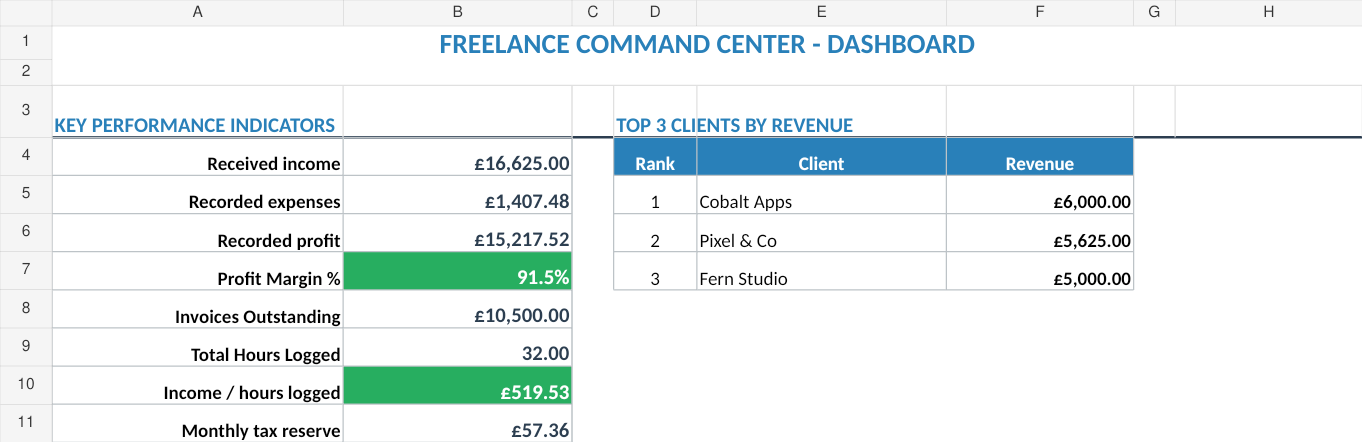
The Freelance Command Center (Sort & Keep) (£14.99) does exactly this. It includes UK-compatible tax estimation alongside client tracking, time logging, invoice aging, and profitability analysis. One spreadsheet that runs the business side of freelancing so you can focus on the work. The tax calculator is one tab in a system that handles everything from quoting clients to chasing late invoices.
Purpose-built for UK freelancers. HMRC Self Assessment, £12,570 personal allowance, Class 2 and Class 4 National Insurance, payment on account calculations, and simplified expenses. US edition included with IRS quarterly estimates and Schedule C.
If you're not ready for the full system, start with the Free Budget Tracker (Sort & Keep) to get your income and expenses into one place. That alone puts you ahead of most freelancers come January.
Related Reads
- Best Freelance Finance Spreadsheets in 2026
- Freelance Command Center: The Full Walkthrough
- Tax Deduction Tracker Spreadsheet
- How to Track Freelance Income and Expenses
Get free spreadsheet templates and updates. New templates, feature updates, and practical guides delivered to your inbox. No spam, unsubscribe anytime.
Subscribe free → | Already have a template? Download the free budget tracker or free meal planner. No email required.
Choose the right next step
Use the Freelance Command Center for a freelance income and invoice tracker spreadsheet. Use the Rental Property Portfolio Tracker for rent, expense, deal and ROI tracking. The Business Essentials Bundle combines both workbooks.