Subscription Tracker Spreadsheet: Find and Cancel Hidden Costs
Subscription tracker spreadsheet showing what you pay, when it renews, and what to cancel. Free for Google Sheets. Get the template.

From Sort & Keep, the maker of the linked templates. Our current product prices update with your selected currency. Worked examples and third-party prices keep their stated currency and date.
The average UK household spends roughly £620 per year on subscriptions they have forgotten about. That figure comes from Barclays research in 2024, and it lines up with what we see every time someone actually sits down and audits their recurring payments. That is £51/month bleeding out on autopilot. Streaming services you signed up for during lockdown, a gym membership you last used in February, app subscriptions buried three screens deep in your phone settings, and software free trials that quietly converted to paid plans 11 months ago.
A subscription tracker spreadsheet is the simplest fix. Not an app. Not another subscription to manage your subscriptions. A single spreadsheet that lists every recurring charge, when it renews, what it costs annually, and whether it is actually worth keeping.
Why Your Bank Statement Is Not Catching Subscription Creep
You might think checking your bank statement once a month is enough to spot unnecessary subscriptions. It is not, and here is why:
Recurring charges blend into the noise. When you have 40-60 transactions per month, a £7.99 charge from "AMZN Digital" or £5.99 from "GOOGLE *Services" does not jump out. Your eyes skim past anything under £10 because it does not feel significant. Multiply that by eight or nine subscriptions and you are looking at £60-£80/month that is essentially invisible.
Annual subscriptions hide for 11 months. That £89 antivirus renewal, the £79 domain registration, the £119 professional membership. They hit your account once a year. By the time they renew, you have forgotten you signed up. Annual charges are the worst offenders because there is no monthly reminder that you are paying for them.
Price increases happen silently. Netflix went from £6.99 to £10.99 for the standard plan between 2021 and 2025. Spotify increased from £9.99 to £11.99. Most services send a buried email two weeks before the increase and count on you not reading it. Your £50/month subscription bill from two years ago might be £70/month now without a single new sign-up.
Free trials auto-convert. This is the business model. Offer 7 or 30 days free, require a card upfront, and bet that most people will forget to cancel before the trial ends. Apple reported that over 60% of free trial users convert to paid. Not because they love the product, but because they forgot.
A bank statement tells you what happened. A subscription tracker spreadsheet tells you what is about to happen, what it costs over a full year, and what you should do about it.
The Subscription Audit Framework
Before building any spreadsheet, you need a system. Here is the five-step framework we use:
Step 1: List Everything
Go through three sources to build a complete list:
- Bank and credit card statements. Pull the last 12 months (not just one month, or you will miss annual charges)
- App store subscriptions. IPhone: Settings > Apple ID > Subscriptions. Android: Google Play > Payments & subscriptions
- Email search. Search your inbox for "subscription", "renewal", "recurring", "your plan", and "payment received"
Be thorough. Most people find 2-4 subscriptions they had completely forgotten about during this step.
Step 2: Categorise
Sort every subscription into three buckets:
- Essential. You use it regularly and it adds genuine value (your phone contract, cloud storage with irreplaceable files, a streaming service the whole household watches weekly)
- Nice-to-have. You use it sometimes but could live without it (a second streaming service, magazine subscriptions, premium app tiers)
- Forgotten. You did not remember paying for it until you found it in your statement
Step 3: Calculate True Annual Cost
Monthly costs are deceptive. £3.99/month sounds like nothing. It is £47.88/year. A subscription tracker spreadsheet should show every charge as an annual figure so you can see the real total.
Here is what we typically see when people do this exercise:
| Category | Monthly | Annual |
|---|---|---|
| Streaming (video + music) | £28-£40 | £336-£480 |
| Software and apps | £15-£30 | £180-£360 |
| Gym and fitness | £20-£45 | £240-£540 |
| News and magazines | £10-£20 | £120-£240 |
| Cloud storage | £5-£15 | £60-£180 |
| Gaming | £8-£15 | £96-£180 |
| Total range | £86-£165 | £1,032-£1,980 |
That total shocks most people. Even at the low end, that is over a thousand pounds a year on recurring charges.
Step 4: Decide. Keep, Cancel, or Downgrade
For each subscription, make one of three calls:
- Keep. Genuinely worth it, used regularly
- Cancel. Forgotten, unused, or not worth the price
- Downgrade. You use it but could switch to a cheaper tier (Netflix Premium to Standard, Spotify Family to Individual, a gym to a cheaper chain)
Step 5: Set Review Reminders
This is the step everyone skips, and it is the reason subscription creep comes back. Set a calendar reminder to re-run this audit every 3 months. New free trials will convert, prices will increase, and your usage patterns will change. A quarterly 15-minute review prevents the slow creep from undoing your work.
Building a Subscription Tracker Spreadsheet in Google Sheets
If you want to build your own from scratch, here is the setup that works. You need four components.
Tab 1: Subscription Log
Your master list. Create columns for: Service Name, Category, Monthly Cost, Billing Frequency, Next Renewal Date, Payment Method, Cancellation URL, Status (Keep/Cancel/Downgrade/Trial), and Notes.
The cancellation URL column is the most important one nobody includes. When you decide to cancel something, you want a direct link. Not a 15-minute hunt through settings menus. Companies like Amazon, Adobe, and gym chains deliberately make cancellation difficult. Having the URL ready removes the friction that keeps you paying.
Tab 2: Annual Cost Calculator
Normalise everything to annual cost. Monthly charges multiplied by 12, annual charges as-is, weekly by 52. Add a SUM at the bottom, then break it down by Keep/Cancel/Downgrade status so you can see: "I am currently paying £1,340/year. If I cancel and downgrade as planned, that drops to £780/year. Saving: £560."
Tab 3: Category Breakdown
A pivot-style summary showing spend by category. This reveals where the money concentrates. Most people discover entertainment subscriptions account for 40-50% of their total, often because they are paying for three or four streaming services when they actively watch one or two.
Tab 4: Renewal Calendar
A 12-month view showing which subscriptions renew each month, with the amount. Particularly useful for spotting months where annual renewals cluster. If your antivirus, domain, and professional membership all renew in September, that is a £250+ hit you need to plan for.
Subscription Tracker Spreadsheet vs the Alternatives
Here are the main considerations.
1. Bank App Transaction Search
Platform: Your existing banking app (Monzo, Starling, Barclays, etc.)
Price: Free
Most banking apps now show recurring payments. Monzo has them under Summary, Starling lists Direct Debits and standing orders. High-street banks vary.
Pros:
- Already on your phone, no setup required
- Shows actual charges from your real account
- Monzo and Starling categorise spending automatically
Cons:
- Only shows subscriptions charged to that specific account or card
- Misses app store subscriptions billed through Apple or Google
- Cannot show annual cost projections or category breakdowns
- Spread across multiple banks if you use more than one account
Verdict: A decent starting point for discovery, but not a tracking system. Use it to find subscriptions, then log them somewhere else.
2. Rocket Money (formerly Trim)
Platform: iOS, Android, Web
Price: Free tier / Premium £3-£12/month
Connects to your bank accounts, identifies recurring charges, and can cancel subscriptions on your behalf. Includes bill negotiation features.
Pros:
- Automatically detects recurring charges across all linked accounts
- Can cancel subscriptions directly through the app
- Bill negotiation claims to lower bills for internet, phone, and insurance
Cons:
- Premium costs £3-£12/month. A subscription to manage subscriptions
- Requires full bank account access (read-only, but still a security consideration)
- US-focused. Bill negotiation does not work for most UK providers
- Company keeps 30-60% of savings from bill negotiations
Verdict: Paying up to £144/year to track subscriptions is hard to justify. The free tier is too limited to be useful, and UK users get less value from the negotiation features.
3. Bobby / Subby
Platform: iOS (Bobby) / Android (Subby)
Price: Free / Bobby Premium £1.99 one-time
Dedicated subscription tracking apps with manual entry. Bobby has been around since 2016. Subby is the closest Android equivalent.
Pros:
- Clean, focused interface. Does one thing well
- Bobby Premium is a one-time £1.99, not recurring
- Renewal reminders via push notification
Cons:
- Manual entry means you might miss subscriptions (the ones you forget are the ones you need to find)
- Bobby is iOS only; no spreadsheet export
- Tracks subscriptions in isolation from the rest of your spending
Verdict: The best dedicated app if you want something simple and cheap. But manual entry only tracks what you remember to add. Which defeats the purpose if forgotten subscriptions are your problem.
4. TrackMySubs
Platform: Web app
Price: Free tier (up to 5 subscriptions) / Pro $4.99/month
Web-based tracker with calendar views, spending reports, and team features for business use.
Pros:
- Calendar view is genuinely useful for spotting renewal clusters
- Supports multiple currencies
- Email reminders before renewals
Cons:
- Free tier limited to 5 subscriptions. Most people have 10-15+
- Pro tier is $4.99/month ($59.88/year)
- Web-only, no native mobile app
- Designed for businesses, overkill for personal use
Verdict: The 5-subscription free tier is practically useless for personal tracking. Better suited for businesses managing software licences across a team.
5. DIY Subscription Tracker Spreadsheet
Platform: Google Sheets
Price: Free
Setup time: 30-45 minutes (initial), 15 minutes/quarter (ongoing)
A spreadsheet you build yourself or adapt from a template, following the structure in the previous section.
Pros:
- Completely free, forever
- You own the data. No third-party access to your financial information
- Annual cost calculations, category breakdowns, and renewal calendars in one place
- Works on any device with a browser
Cons:
- Requires manual setup and data entry
- No automatic detection of recurring charges
- You need to actually open it quarterly and update it
Verdict: This is what we recommend for most people, and here is why.
The Irony of Paying for a Subscription to Track Subscriptions
Let us state the obvious: if you are trying to reduce your recurring costs, adding another recurring cost is a questionable strategy. Rocket Money's premium tier costs up to £144/year. TrackMySubs Pro is roughly £48/year. For most individuals, a spreadsheet achieves the same outcome for nothing.
These apps also solve the wrong part of the problem. The hard part is not tracking. It is discovery (finding charges you have forgotten) and action (actually cancelling). An app that neatly displays your subscriptions but cannot make you click "cancel" is just a prettier bank statement.
A subscription tracker spreadsheet forces you to engage with each line item. The act of typing "Adobe Creative Cloud. £49.94/month. £599.28/year. Status: CANCEL" is more powerful than seeing it auto-populated in a feed you scroll past. The friction is a feature.
What We Actually Recommend
For the initial audit: Spend 30 minutes going through your bank statements (last 12 months), app store subscriptions, and email. Build a complete list. No app skips this step for you. Even the automated ones miss app store charges and subscriptions paid from secondary accounts.
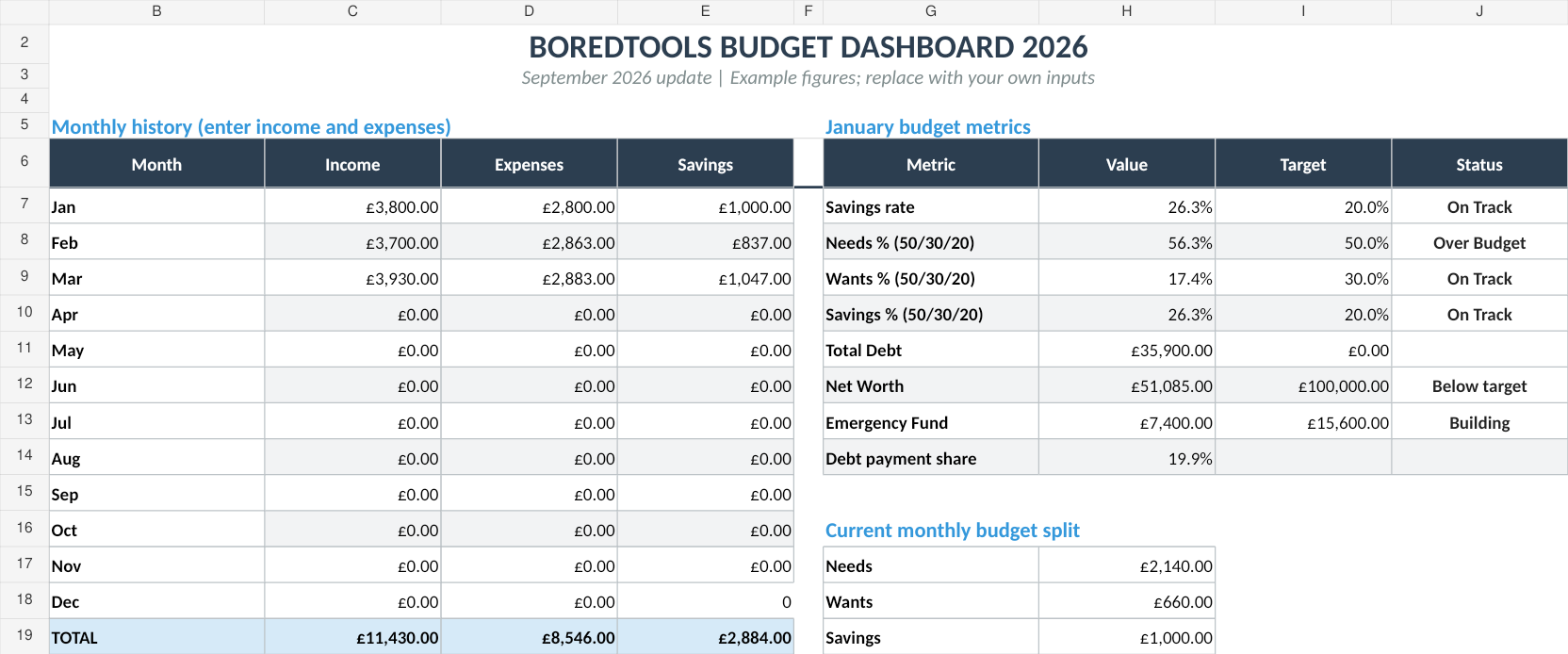
For ongoing tracking: Use a subscription tracker spreadsheet in Google Sheets. Our Free Budget Tracker | Also on Sort & Keep includes expense categorisation that works for logging recurring subscriptions alongside your broader budget. If you want annual projections, dashboards, and savings tracking, the Budget Dashboard 2026 | Also on Sort & Keep (£7.99, one-time) gives you a yearly overview where subscription spend becomes visible against your total financial picture.
UK edition built for British finances. HMRC Self Assessment categories, council tax tracking, National Insurance (Class 2 and Class 4) calculations, ISA allowances, and GBP formatting throughout. US edition included with IRS tax brackets, 401(k) tracking, and USD formatting.
For renewal reminders: Add renewal dates to your phone calendar with alerts set 3 days before. This costs nothing and is more reliable than any app's notification system.
For quarterly reviews: Block 15 minutes every three months to re-run the audit. Check for new free trials that converted, price increases, and subscriptions you no longer use. Cancel what needs cancelling.
The 50/30/20 budget rule puts subscriptions squarely in the "wants" category. And for most people, that 30% allocation is where subscription creep does its damage. If your subscriptions alone are eating 10-15% of your take-home pay, you have less room for the wants that actually matter to you.
Quick Comparison
| Approach | Price | Auto-Detection | Annual Cost View | Cancellation Help | Our Rating |
|---|---|---|---|---|---|
| Bank app search | Free | Partial | No | No | 5/10 |
| Rocket Money (Trim) | £0-£144/year | Yes | Yes | Yes (US mainly) | 6/10 |
| Bobby / Subby | £0-£1.99 once | No | Yes | No | 7/10 |
| TrackMySubs | £0-£60/year | No | Yes | No | 5/10 |
| DIY Spreadsheet | Free | No | Yes | No | 8/10 |
The spreadsheet wins not because it is the most feature-rich, but because it costs nothing, it forces you to engage with your data, and it does not create the exact problem it claims to solve.
Three Things to Do Right Now
Check your app store subscriptions. iPhone: Settings > Apple ID > Subscriptions. Android: Google Play > Payments & subscriptions. Cancel anything you do not recognise or no longer use. This takes 2 minutes and typically saves £5-£15/month.
Search your email for "renewal" and "subscription". Sort by date, look for anything in the last 12 months you had forgotten about, and make a list.
Download the Free Budget Tracker (Sort & Keep) and log your recurring subscriptions. Even a partial list is better than no list.
That £620/year in forgotten subscriptions is not going to find itself. But it does not take long to find once you sit down and look. A spreadsheet, 30 minutes, and the willingness to actually hit "cancel". That is all it takes.
Related Reads
- Bill Tracker Spreadsheet: Never Miss a Payment
- Savings Goal Tracker Spreadsheet
- Budget Template for Low Income: Making Every Pound Count
- Best Budget Spreadsheet Templates in 2026
Get free spreadsheet templates and updates. New templates, feature updates, and practical guides delivered to your inbox. No spam, unsubscribe anytime.
Subscribe free → | Already have a template? Download the free budget tracker or free meal planner. No email required.
Choose the right next step
Need a simple budget tracker spreadsheet? Start with the Free Budget Tracker. Use Budget Dashboard 2026 when you want budgets, debt, savings and net worth in one workbook. Choose the Complete Collection when several parts of life admin need sorting.